Idea → Meeting → Meeting about
the meeting → ???ACTION ITEMS
☐ move fast ☐ break nothing ☑ coffeeQ3 → Q4 → Q-who-knowsparking lot:
- the parking lot
Mandatory meeting: all hands on deck
Settle it like professionals
All Hands is an arcade-style fighting game starring you and your colleagues. Build a cartoon version of yourself, start an office, share one link, and take it outside. Well, to the open-plan area.
Everything below is in the game today, from the avatar editor to Career mode.
01 / build
Build your own cartoon colleague
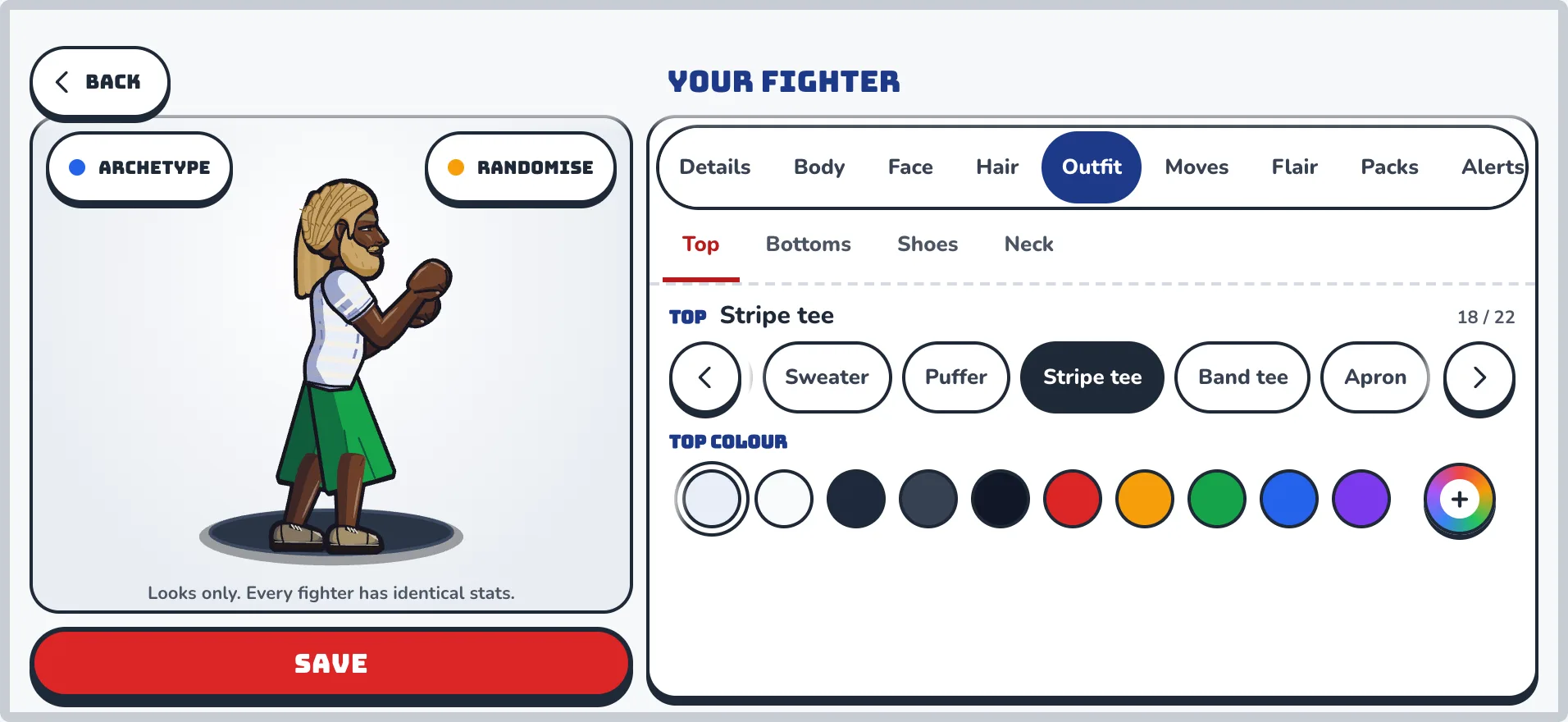
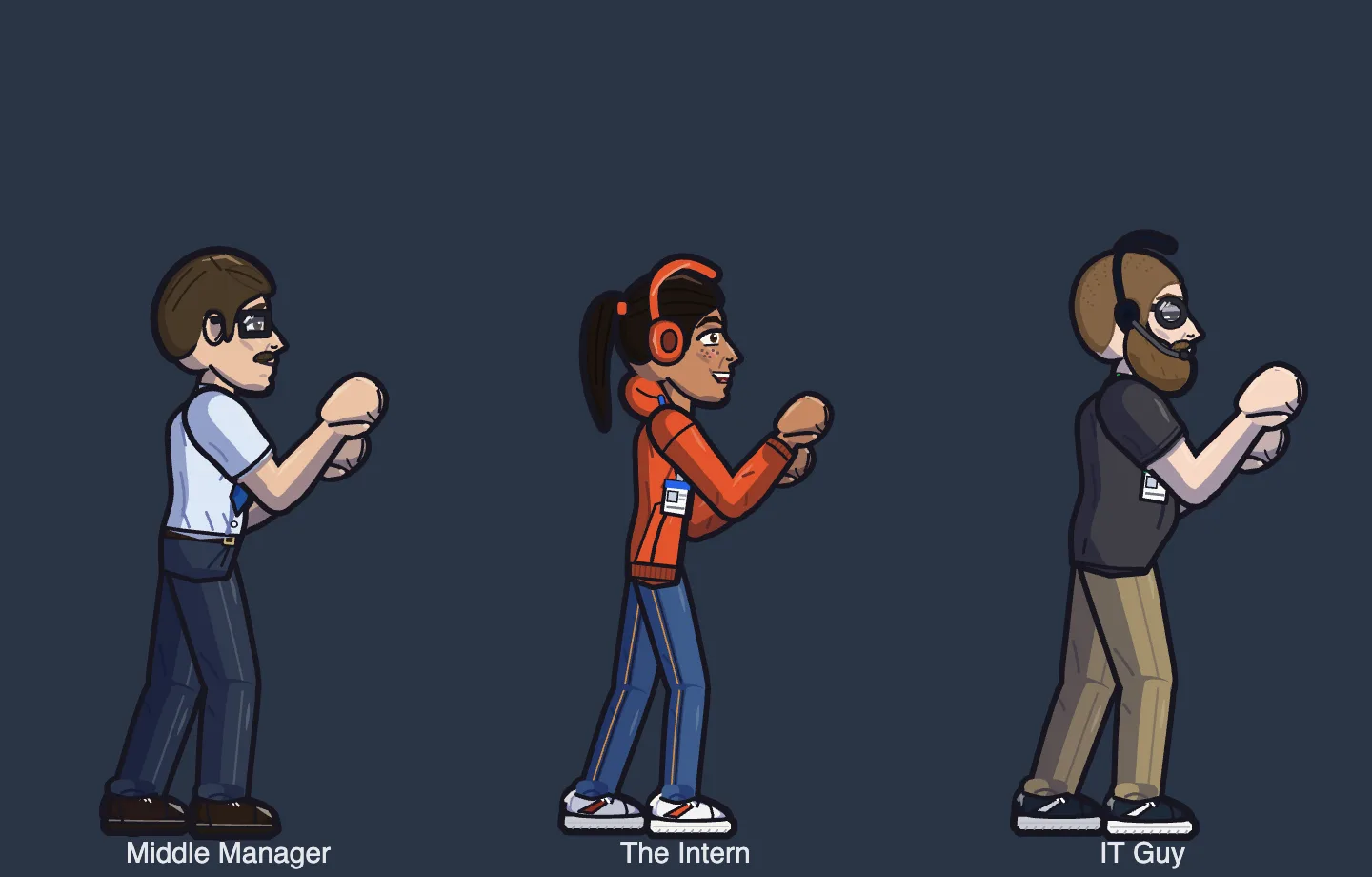
A deep avatar editor makes a fighter that looks like you, or at least like you on a good day. Everyone is drawn in ink, in side profile, with a proper fighting stance.
Dozens of hairstyles, outfits, glasses, hats and body types
A desk slogan and a job title, both language-filtered
Purely cosmetic: no photos, and no stat changes
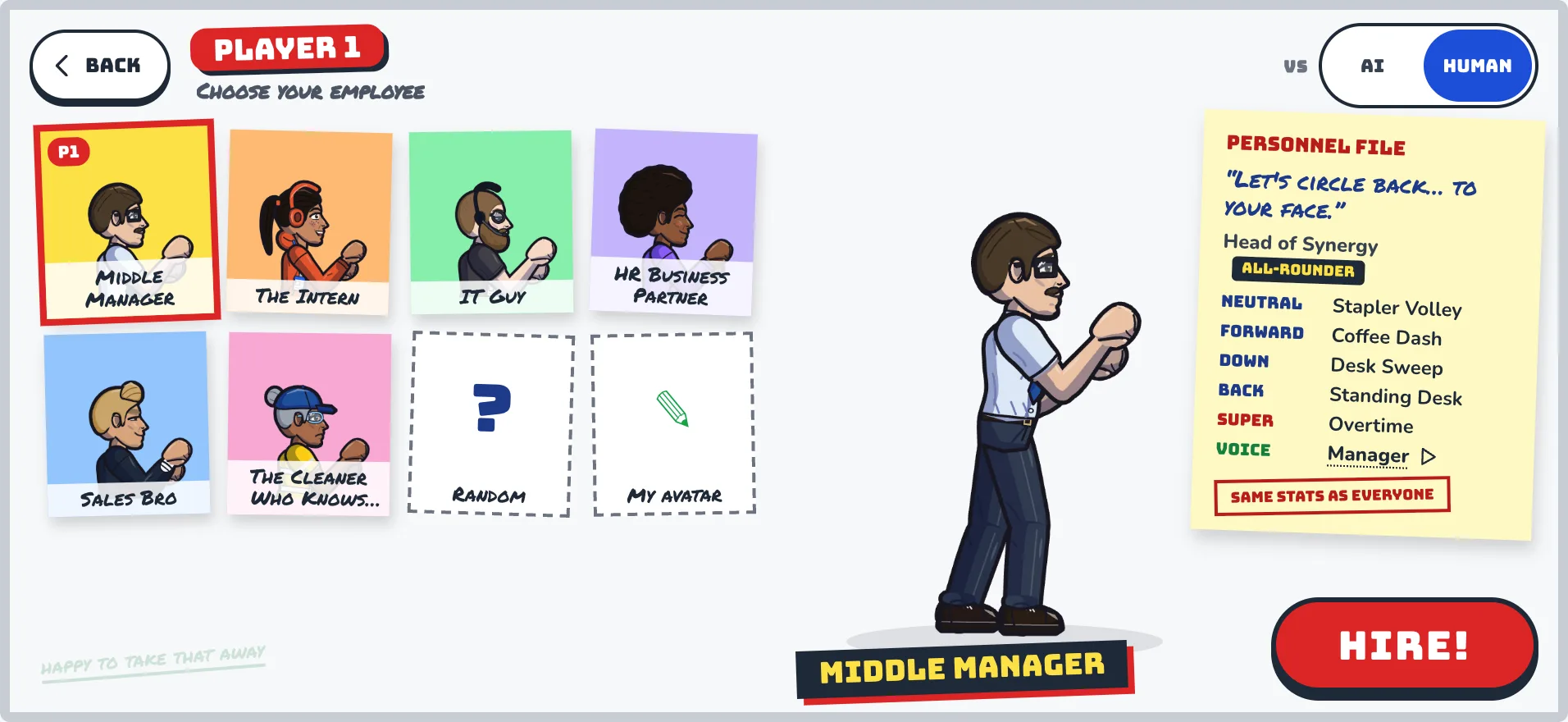
A full-screen character select, with a personnel file for every fighter
The employee profile. Per my last email, I am a lab coat.
Choose your employee. Same stats as everyone else.
02 / invite
Start an office. Share one link.
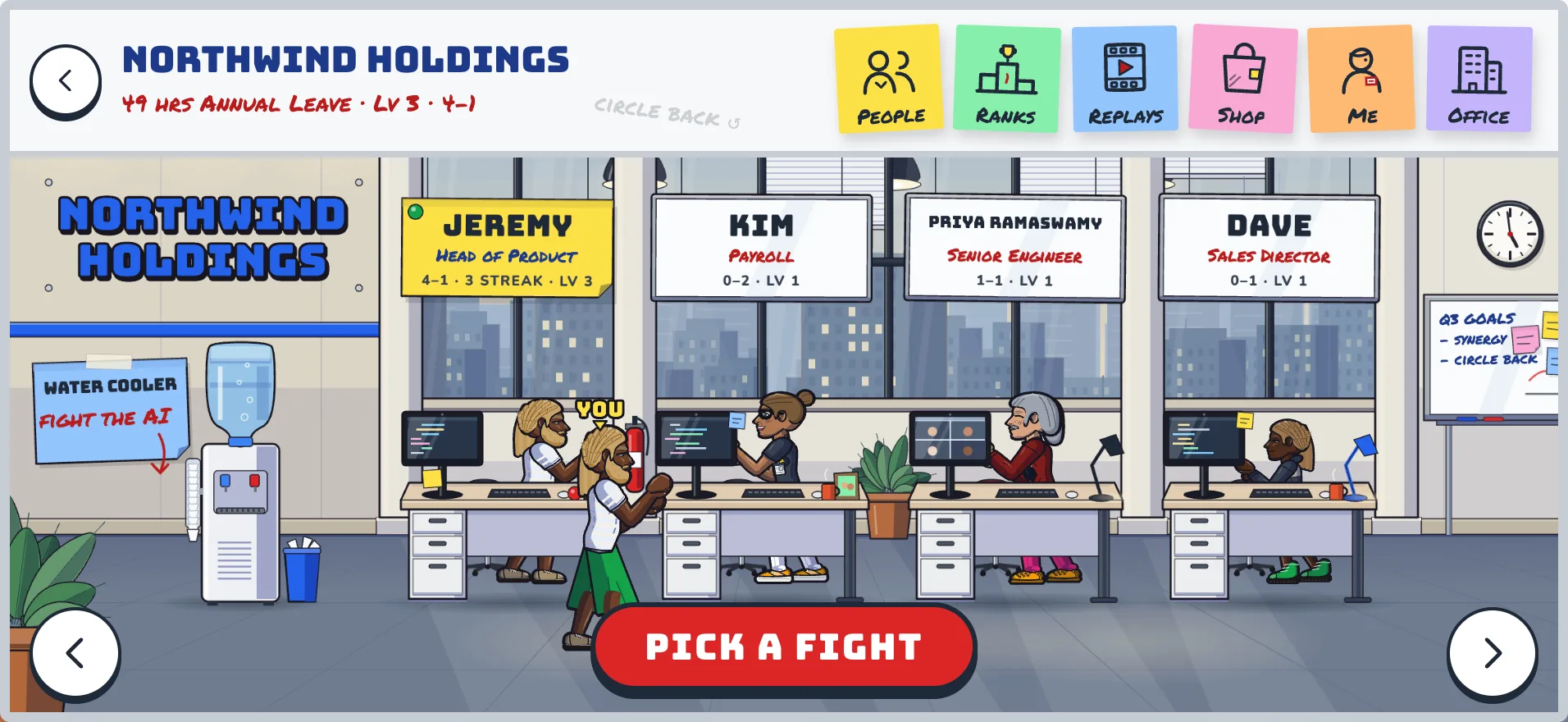
Name your office and send colleagues a link, or stick the QR code on the kitchen noticeboard. Then walk the office floor, read everyone's desk plaque and pick your target.
Invite by link or QR code, no accounts to create
Walk a side-scrolling floor of colleagues' desks
Challenge anyone, or warm up at the Water Cooler against the AI
Admins approve members and can remove anyone in one tap
The office floor. Nobody is working.
03 / fight
A real move list
Four buttons: Light, Heavy, Special and Super. Easy to land your first special, plenty to master after.
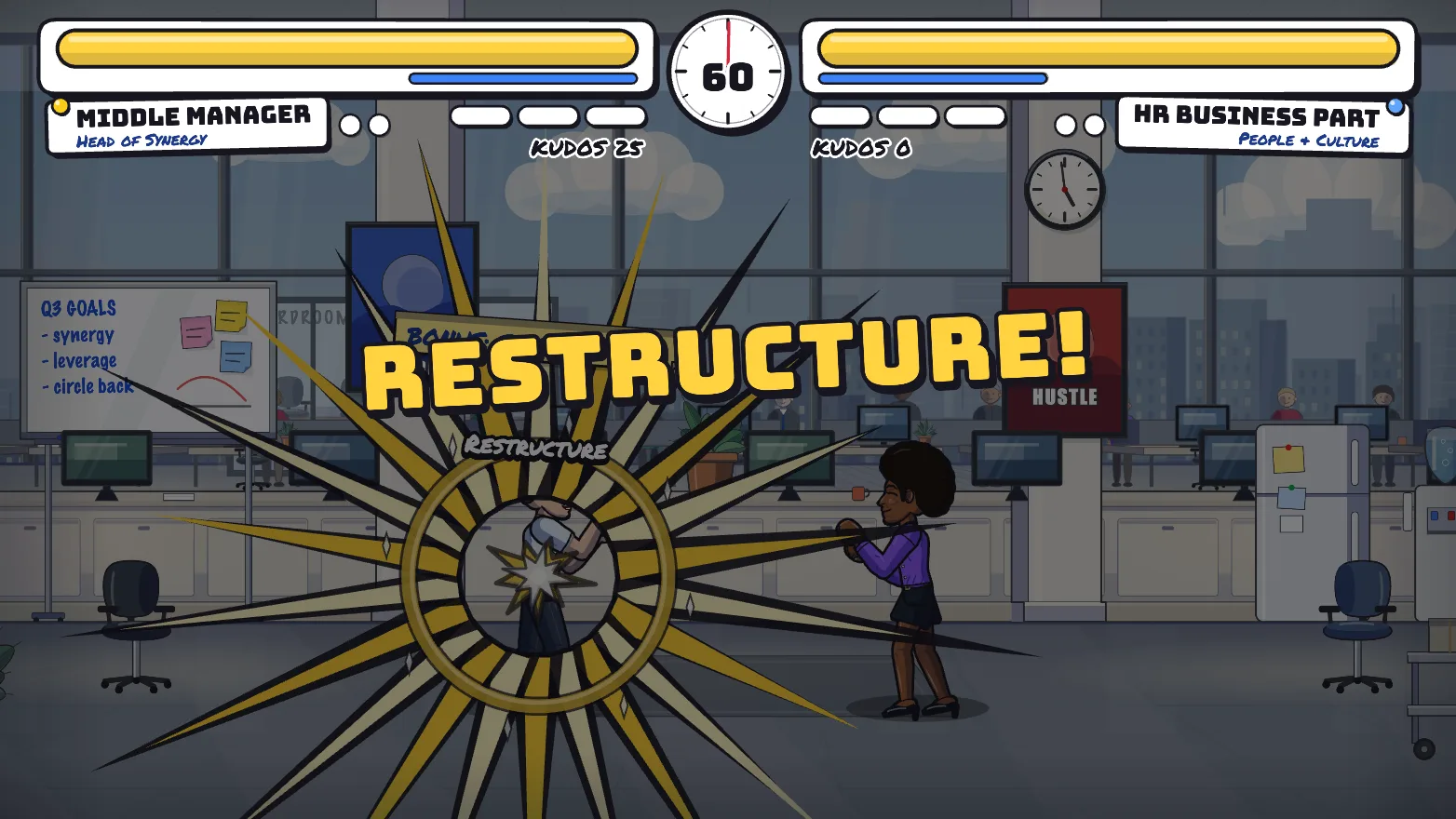
48 specials and 12 supers, from Reply-All Storm to Restructure
Six traits that trade one strength for another
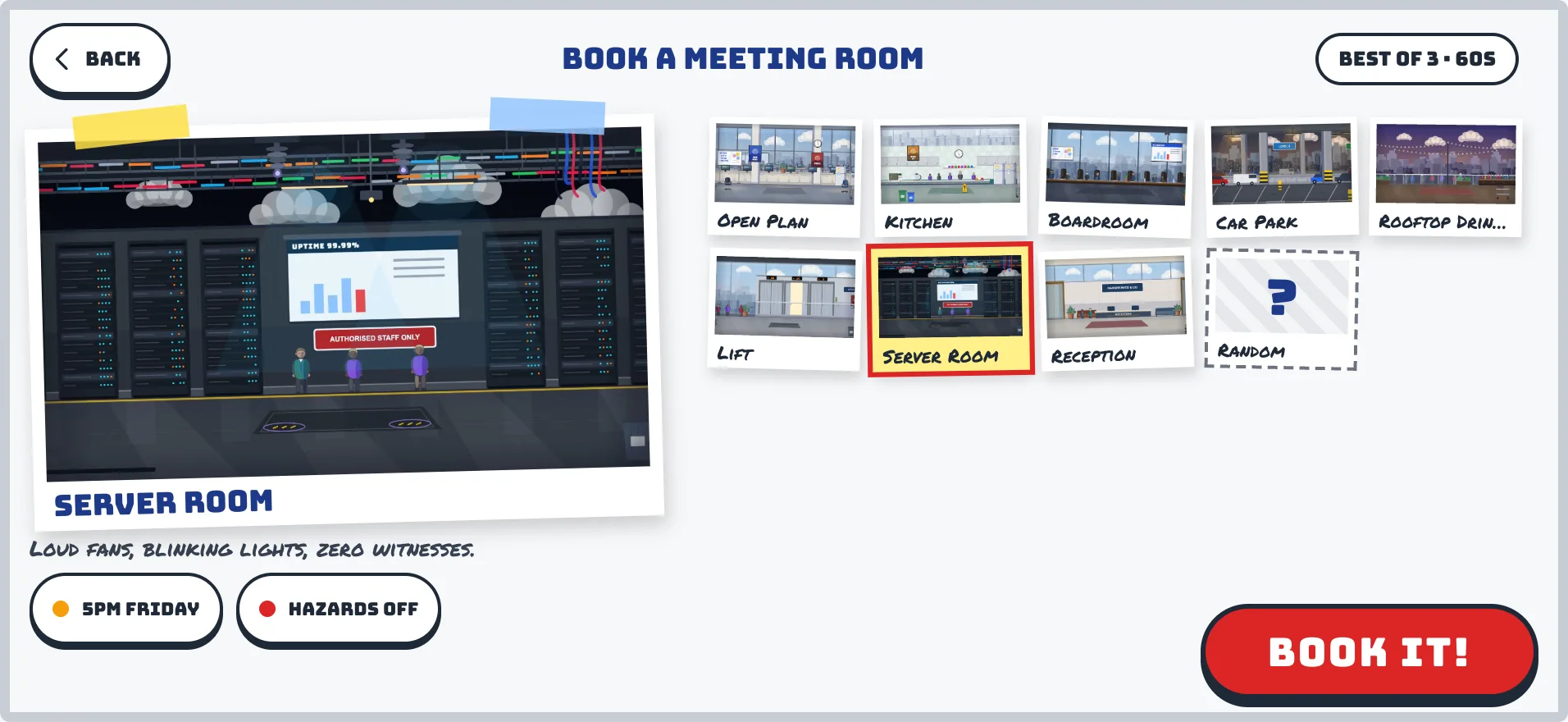
Eight stages, each with a 5pm Friday variant and opt-in hazards, picked on a full-screen stage select
Seven bosses, from The Temp to the CEO, each with a gimmick
Book a meeting room. Eight to choose from.
04 / kits
Every character fights differently
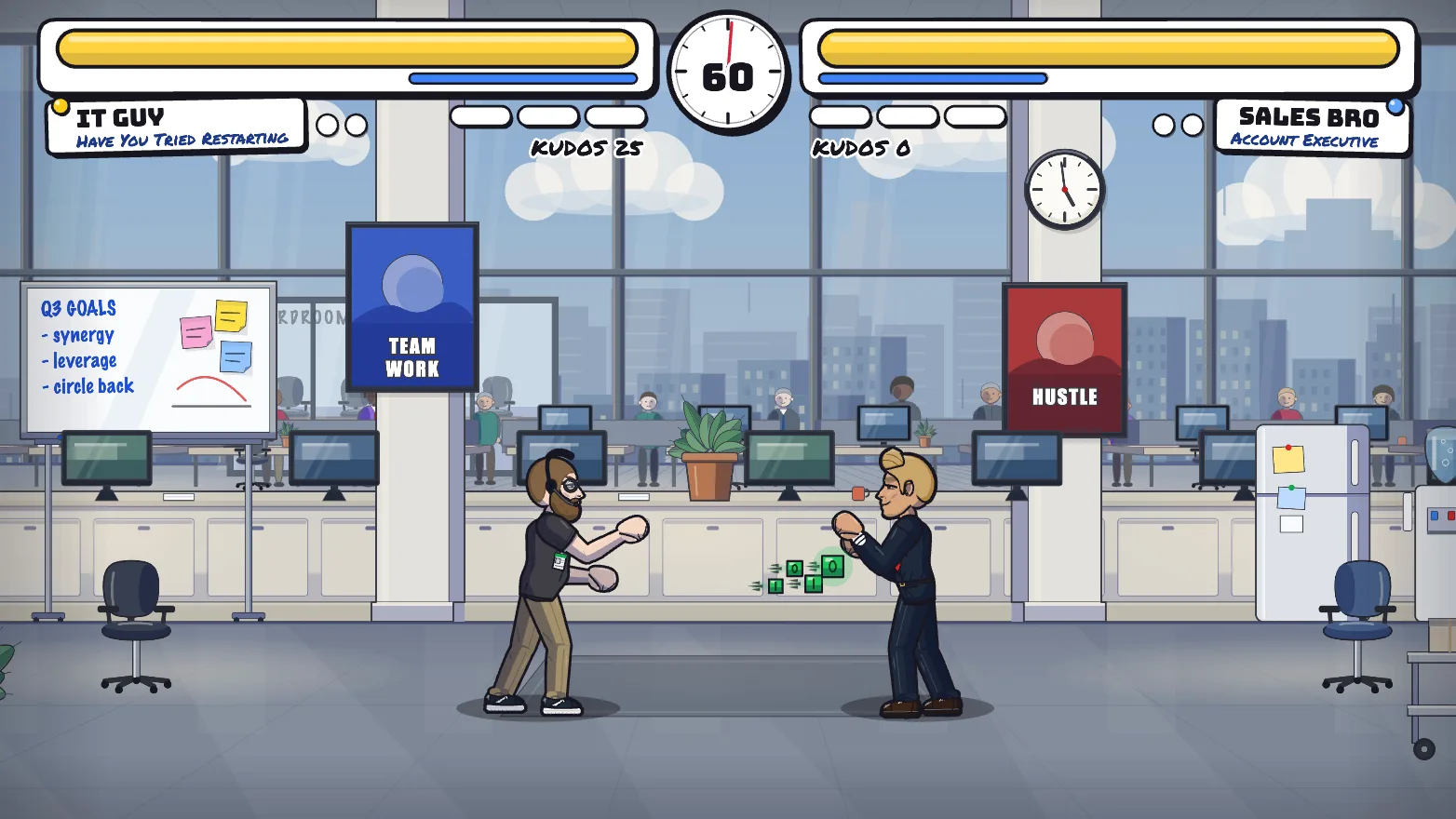
Each colleague has a signature moveset and their own projectiles, so picking a fighter changes how you play. Everyone still has the same stats.
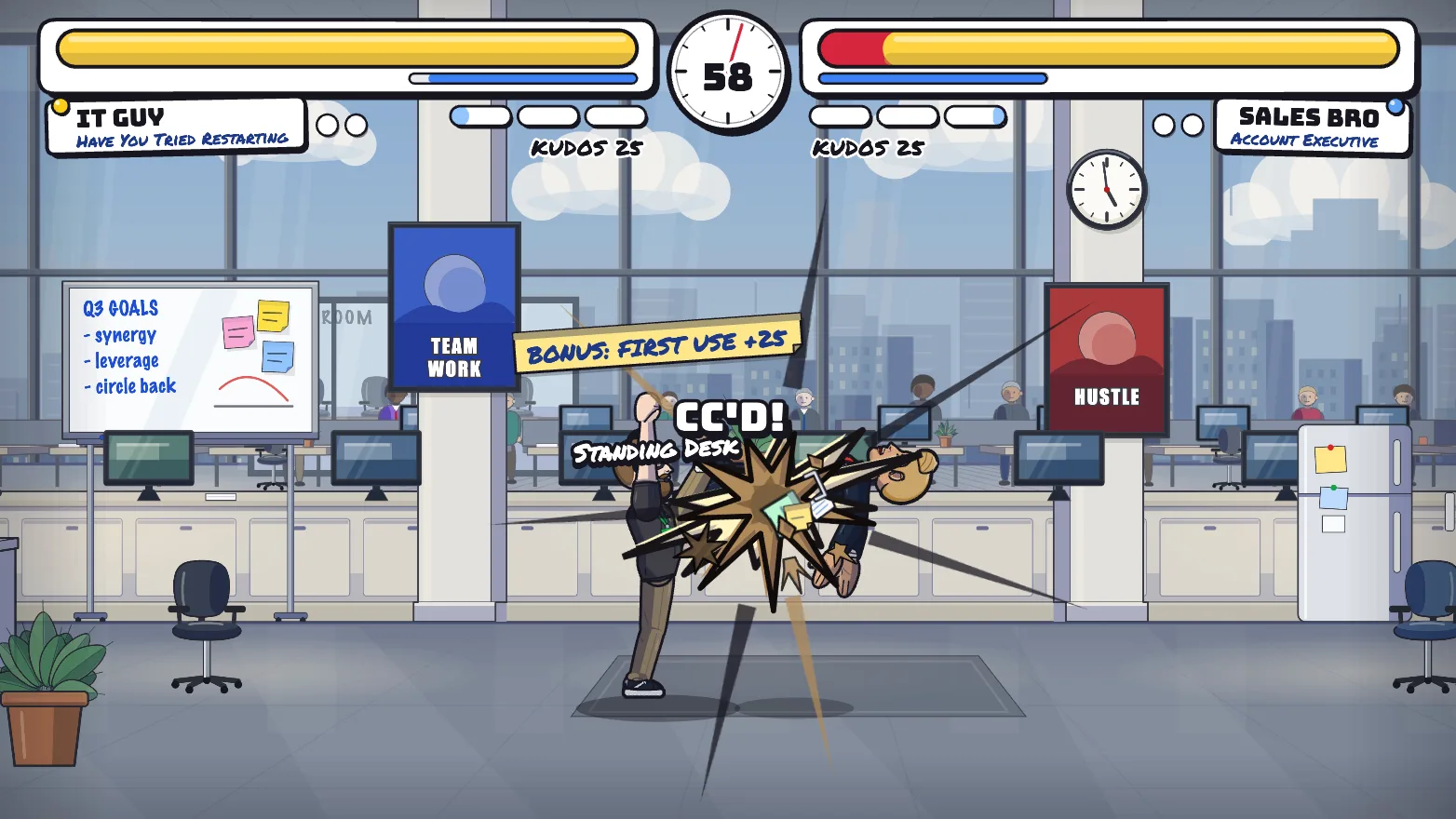
IT Guy fires Ping Flood data cubes; Sales Bro flicks a Business Card
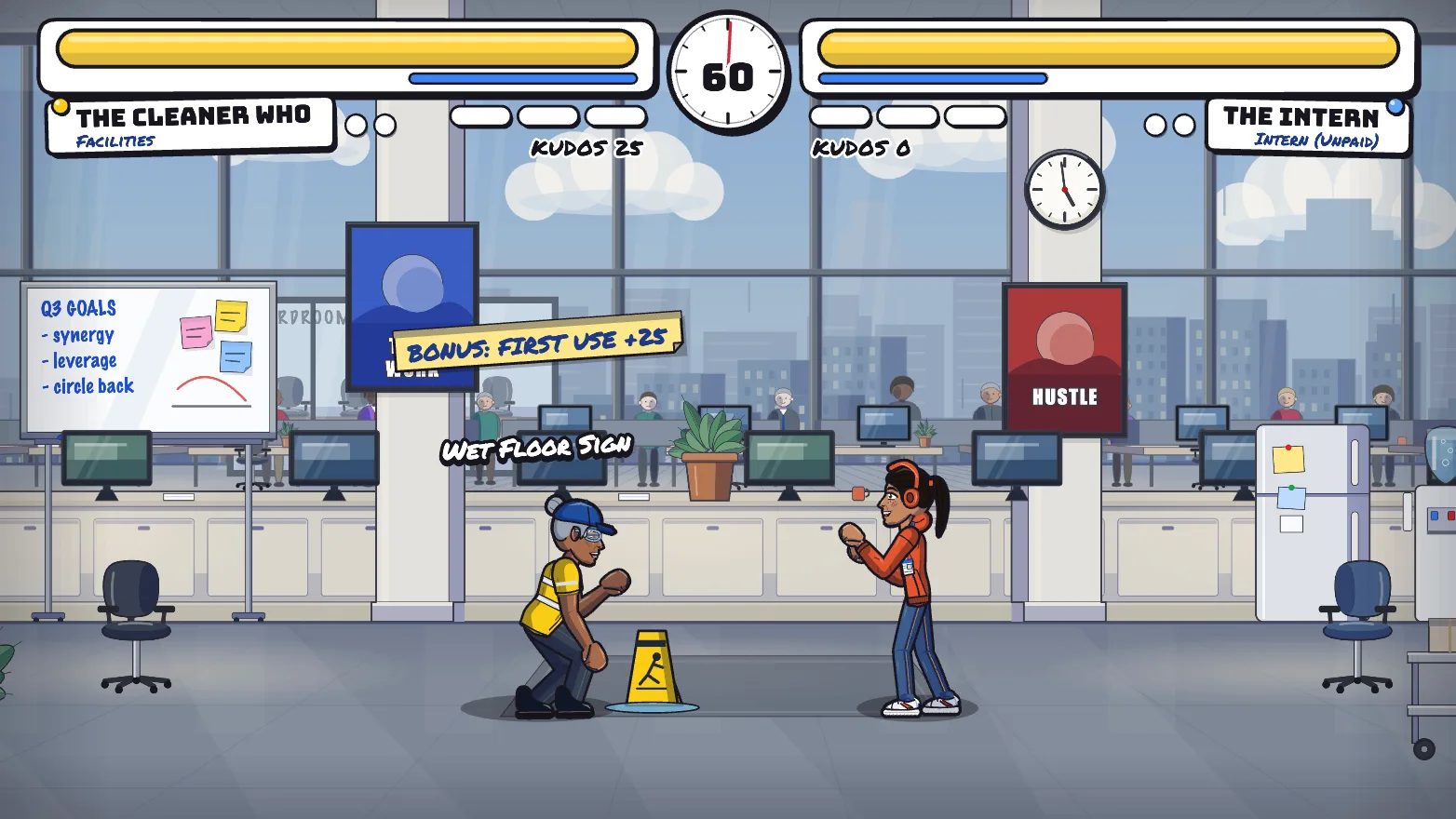
The Cleaner sets a Wet Floor Sign and works a Leaf Blower
A personnel file on the character select lists their moves
Same health, speed and hitboxes for all: only the moves differ
IT Guy: Ping Flood.
The Cleaner: a Wet Floor Sign. Mind the gap.
05 / impact
Hits you can feel
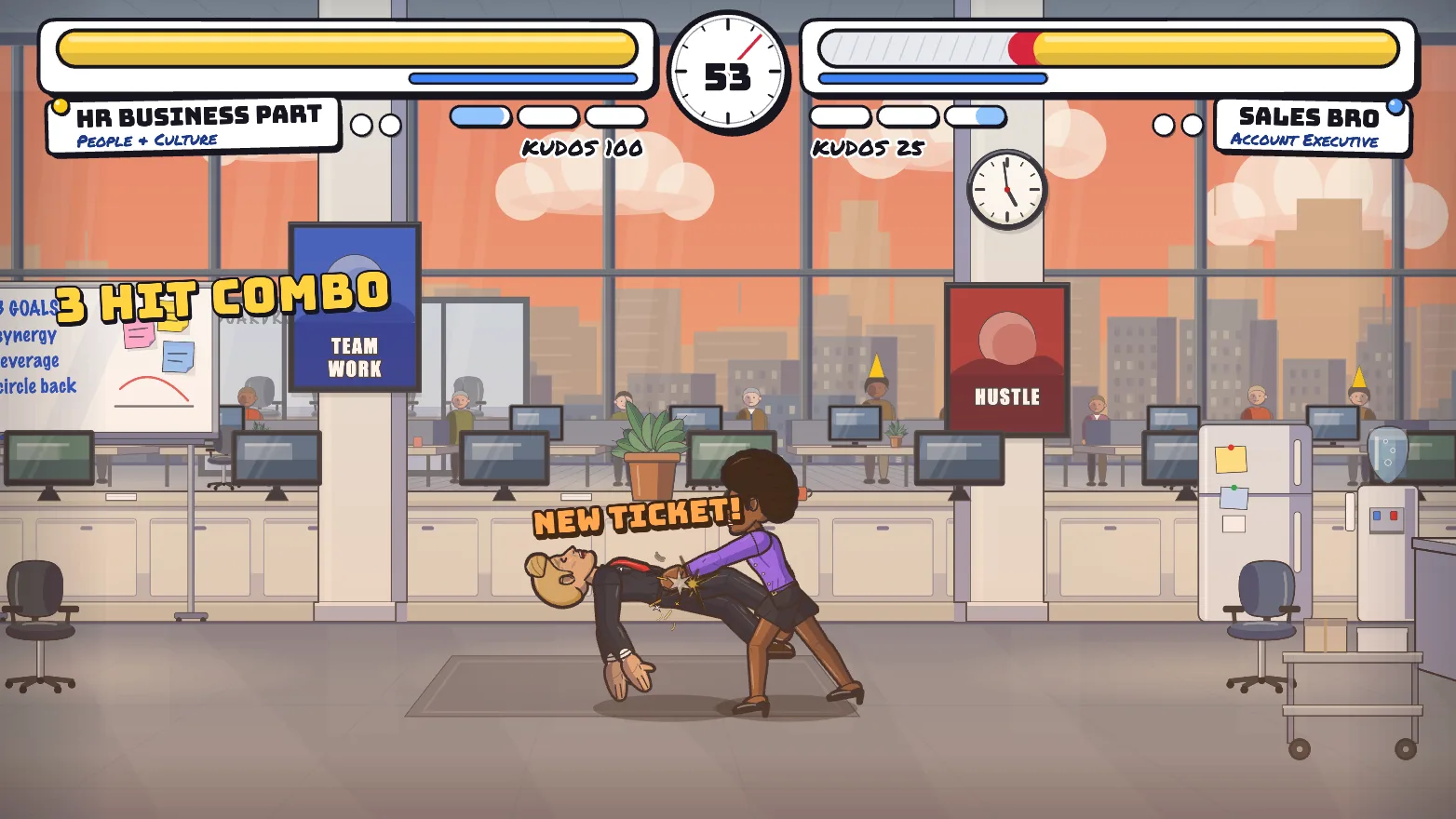
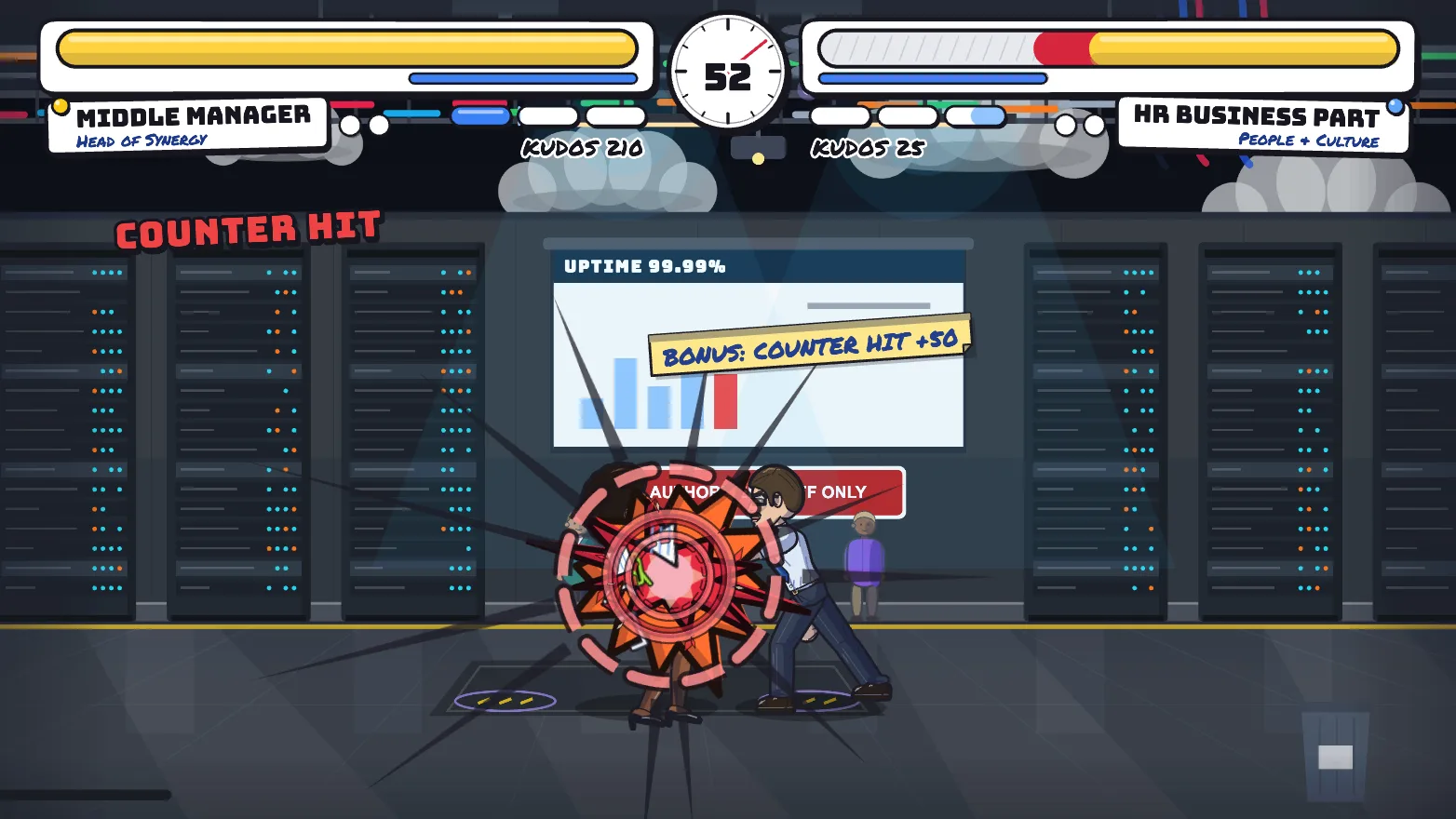
Every hit type now has its own hand-inked impact, with office debris flying and the odd comic word to rub it in.
Light, heavy, special, counter, block, throw and super each look different
Flying paper, staples and sticky notes
Comic words like CC'D! and ESCALATED!, never on every hit
CC'D! Straight to the group chat.
06 / career
Get the promotion
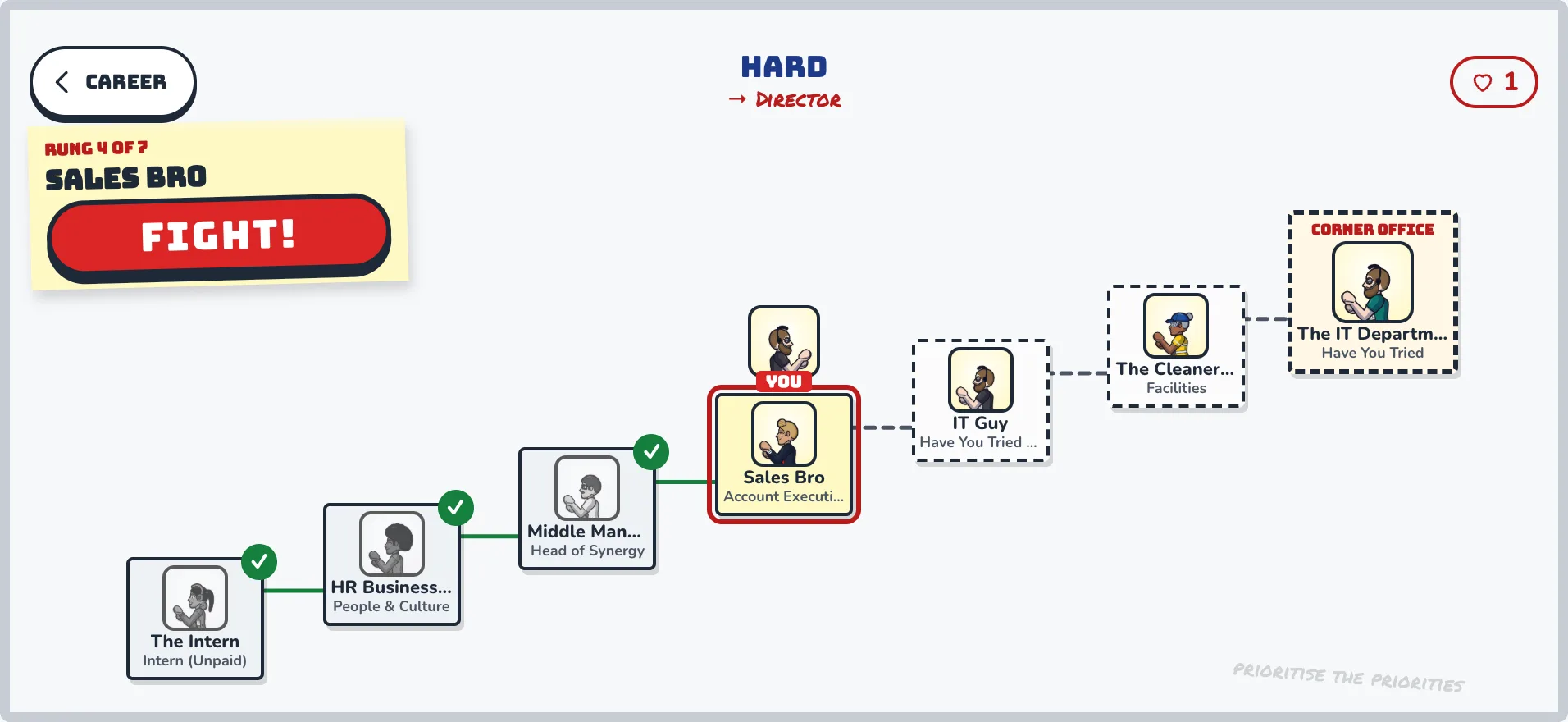
Career is single player and needs no office. Climb the org chart past every colleague, then the boss in the corner office, to earn a new job title.
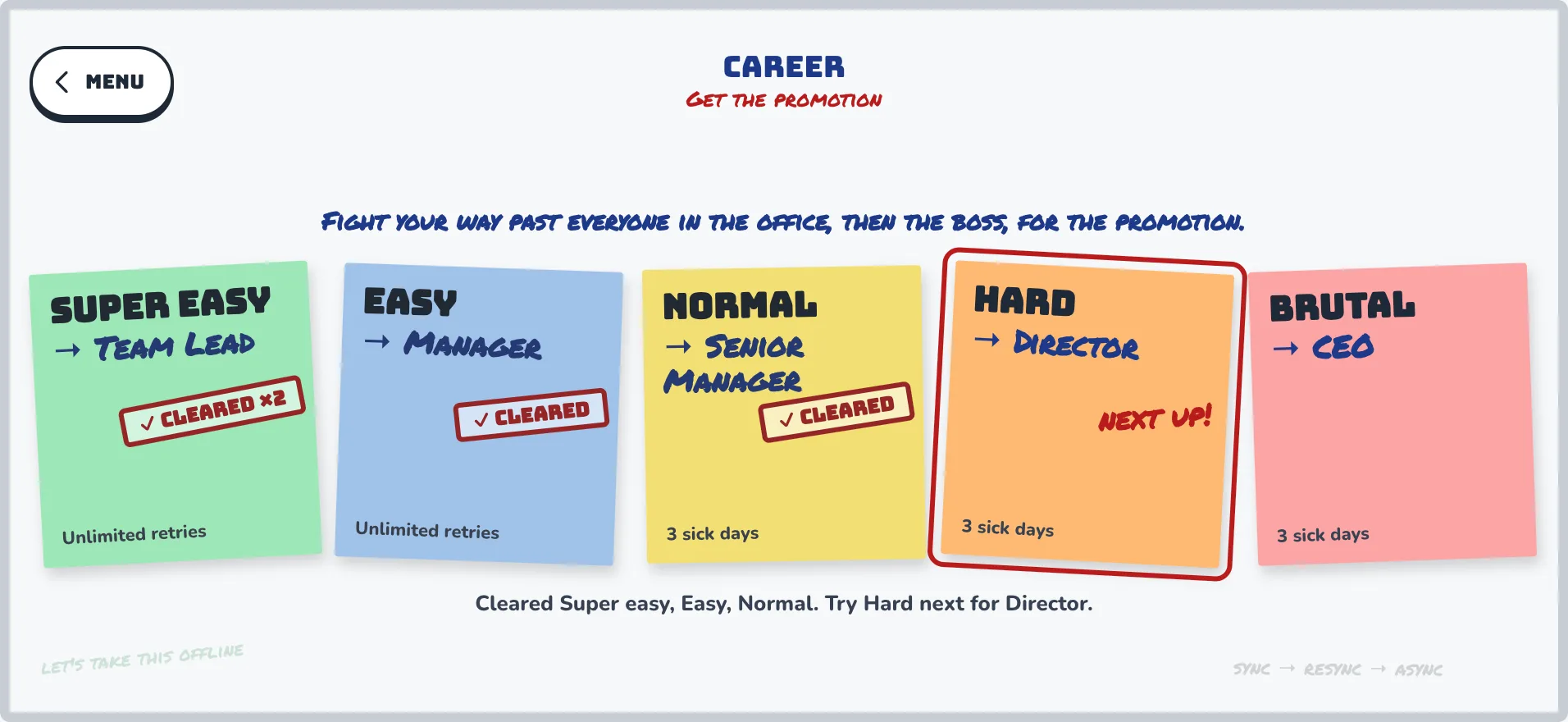
Five levels, Super easy to Brutal, each with its own title: Team Lead, Manager, Senior Manager, Director, CEO
Cleared levels get a tick, and you are nudged to the next one
On harder levels you get sick days to retry a lost fight
Cleared Normal. Hard is next. Director awaits.
The org chart. Ticks all the way up.
07 / online
Live fights. Ghost fights.
Face a colleague head to head online, with rollback netcode so a laggy Wi-Fi network does not decide a dispute. Not at their desk? Fight their ghost: a copy of how they play, ready any time.
Live online fights with rollback netcode
Ghost fights when they are away from their desk
Spectate a fight in progress from the Hub
Push notifications when you are challenged (iPhone)
Pass the phone for two players on one screen, or plug in gamepads
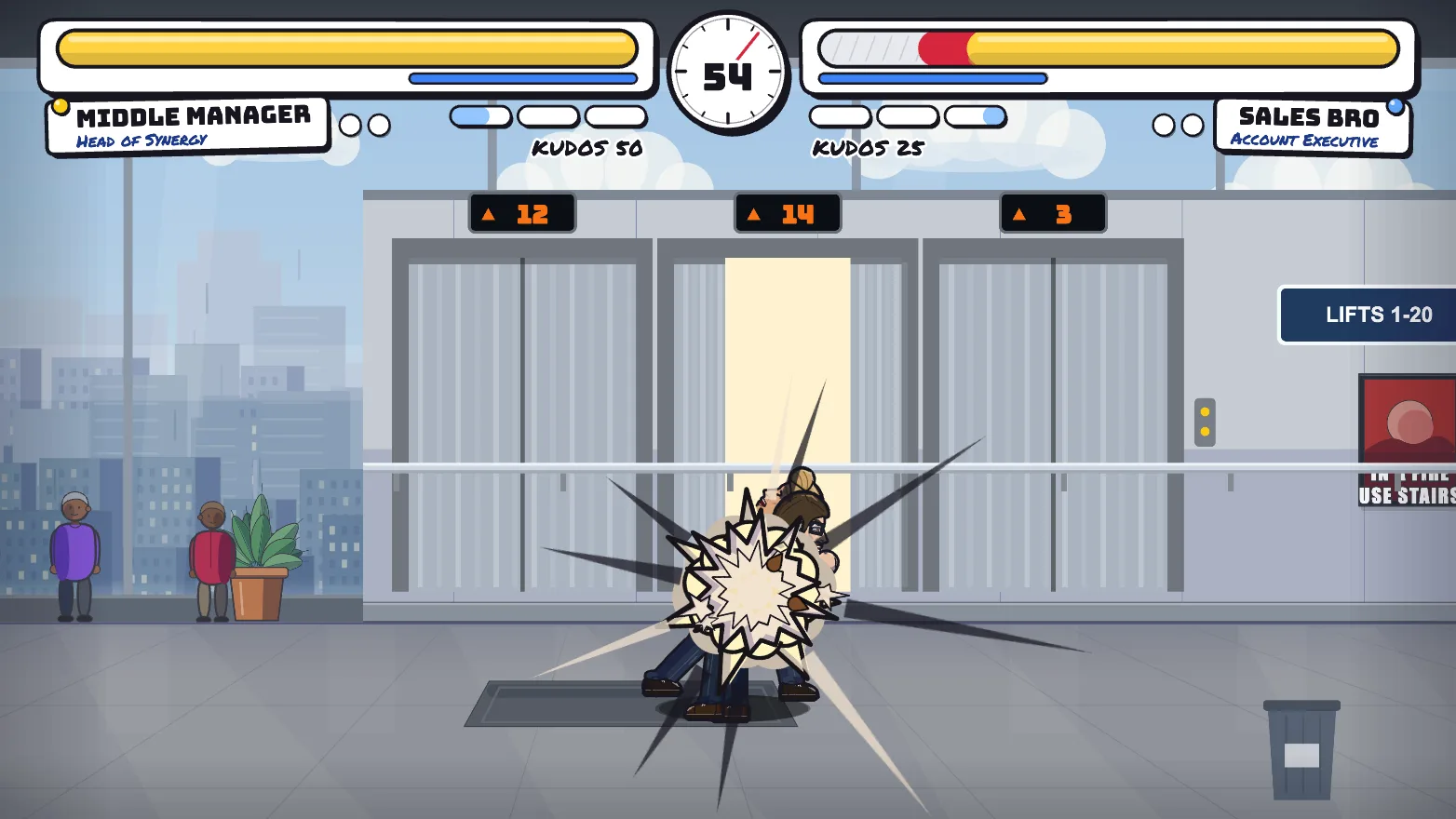
Lifts 1 to 20. Fisticuffs 1 to 1.
08 / friends
Fight a friend. No office needed.
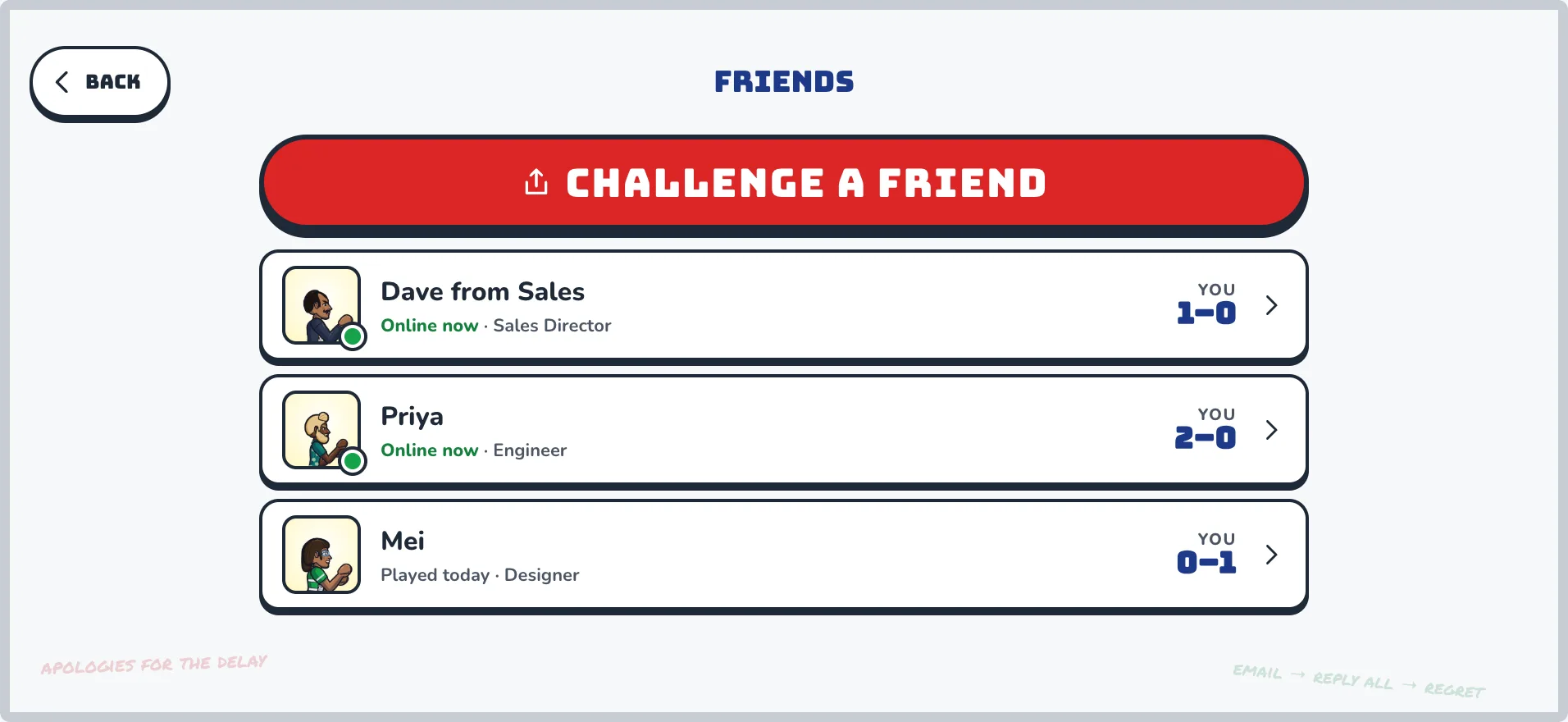
Send anyone a link and fight them live. People you have fought are saved to your Friends list with your head-to-head record, and a tap invites them to a rematch.
Challenge anyone with a link, with nothing to set up
Friends show online status and your win-loss record
Tap a friend to invite them to a rematch
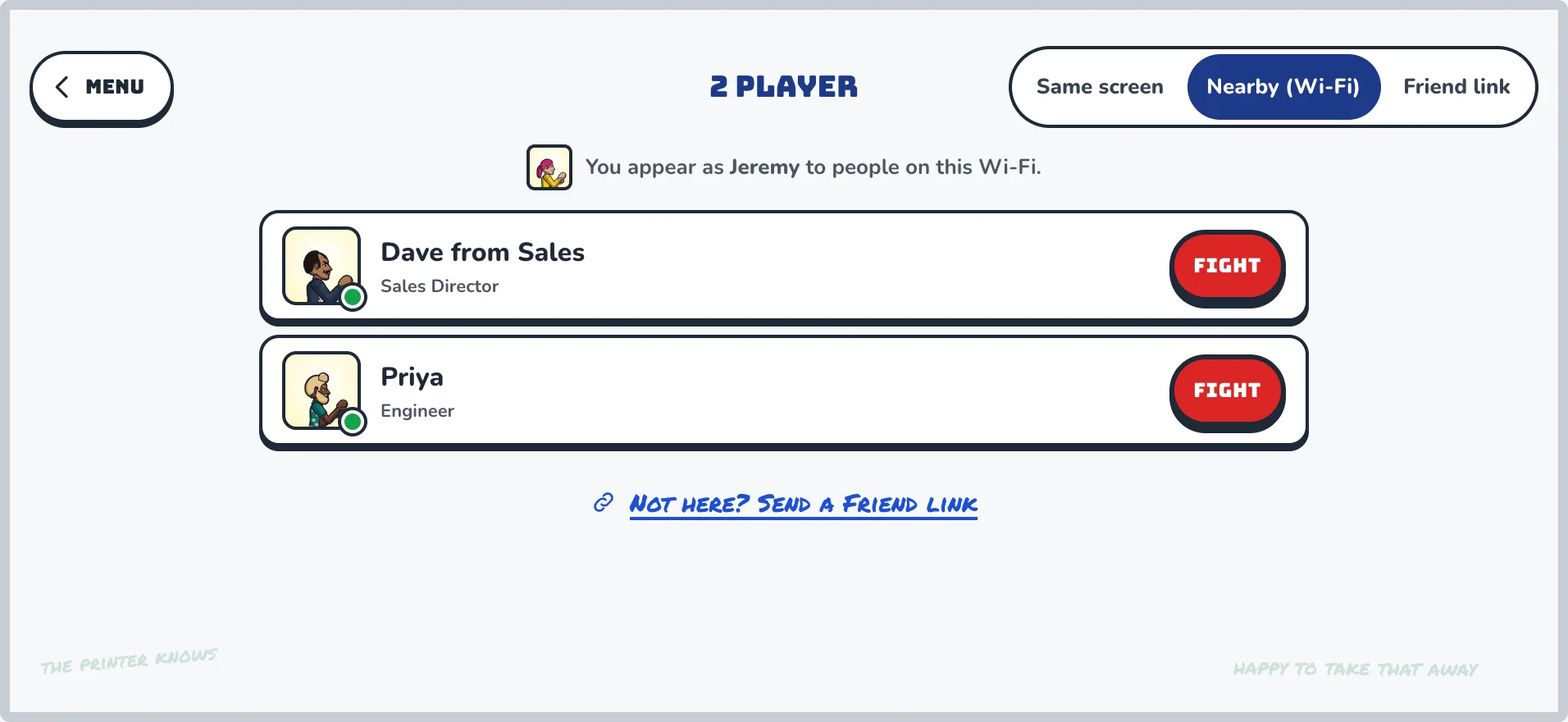
Nearby: find people on the same Wi-Fi with the game open and fight them live
Same-screen 2 player too, with each player choosing their stick side
Head-to-head, with receipts.
Nearby. On the same Wi-Fi, no excuses.
09 / league
Lunchtime politics
Run a lunchtime bracket, climb the Sprint board and get your Performance Review. Everything is scored from verified fights, so the results hold up.
Lunchtime brackets with a semi-final and a final
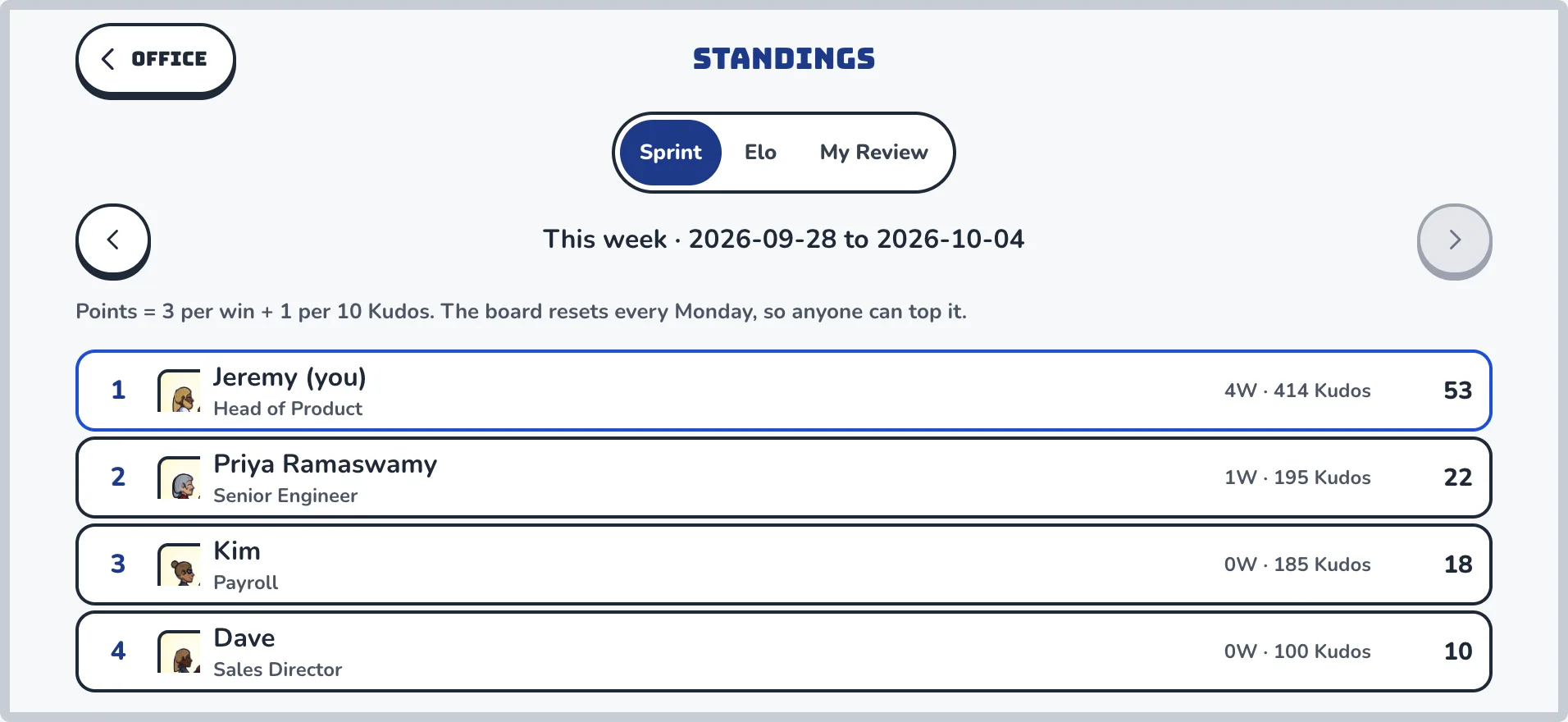
Standings, Elo, a weekly Sprint board and seasonal Performance Review
Kudos for combos, counters and perfect rounds
Titles, taunts and win poses to rub it in politely
This week's Sprint board. Jordan is insufferable.
10 / replay
Replays, highlights and clips
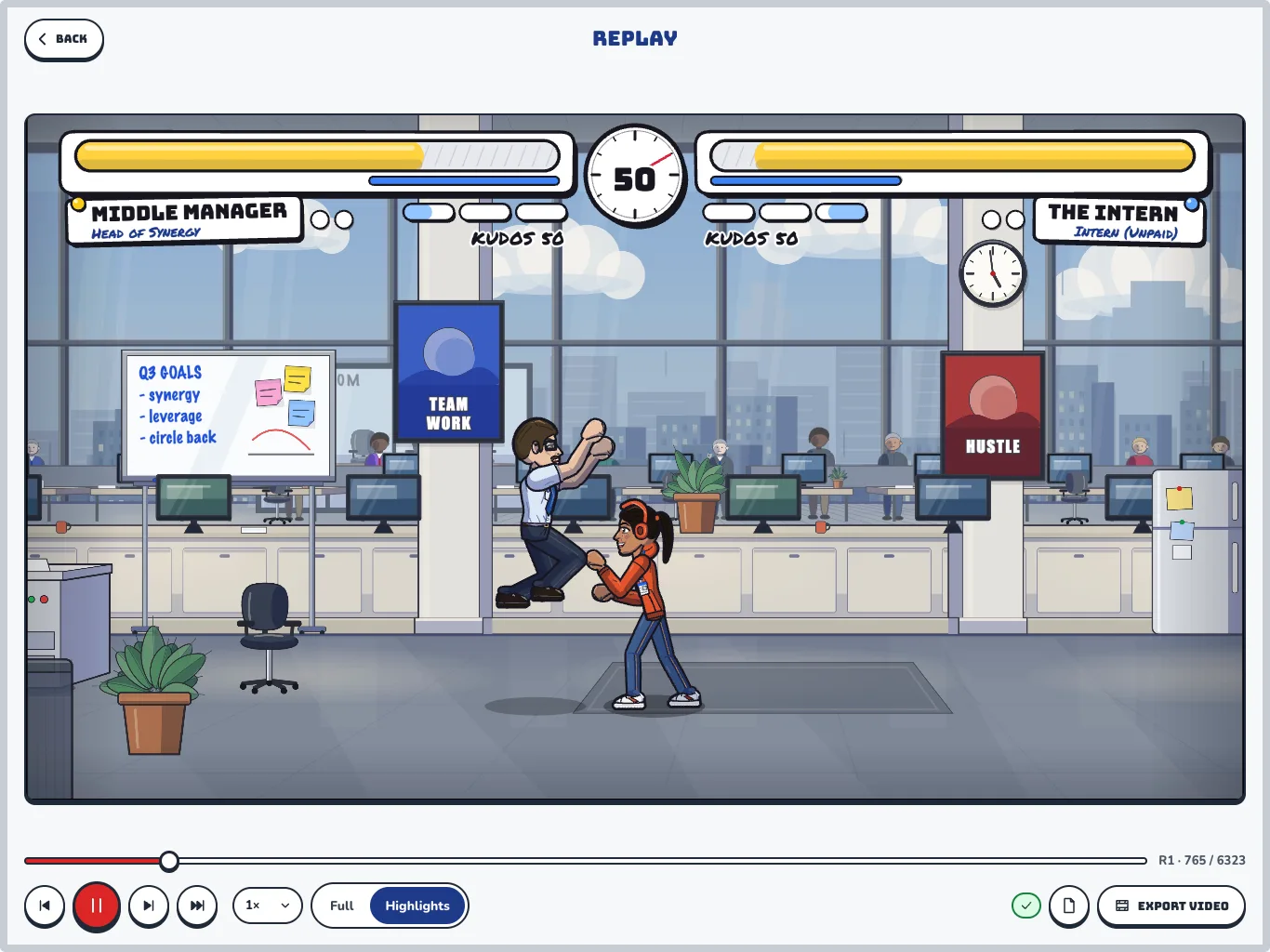
Every fight is a short file of inputs, so you can watch it back frame by frame. Switch to Highlights for the knockouts, supers and comebacks, then send the clip to the group chat.
Highlight reels cut automatically from your fights
Shareable video clips, 15 to 30 seconds
Every replay is re-run by the game to verify the result
Highlights mode, with receipts.
The one rule
Always a fair fight
The new hire has the same chance as the Head of Synergy. Looks are free to change, and nothing you unlock makes you stronger.
Identical stats
Every fighter has the same health, speed and hitboxes. Body type, height and outfit are cosmetic.
Unlocks
Moves and traits are trade-offs, kept in check by a power-budget audit.
Verified
Results are checked by replaying the fight, so nobody can fudge a win.
And the rest of the whiteboard
Everything else
The small print, written on sticky notes because that is how offices actually work.
Traits
Six passive traits, each a priced trade-off. Pick one that suits how you fight.
5pm Friday
Every stage has a golden-hour variant, plus opt-in hazards like printer jams and coffee spills.
Seven bosses
The Temp, the Consultant, the IT Department, the Printer and more. First clears pay out.
Titles and win poses
Equip a title, a win pose and a taunt. Custom taunt text unlocks in the shop.
12 fighter voices
Grunts, hurt noises and a victory shout. Choose one that sounds like your inner monologue.
The announcer
A deadpan voice calls the rounds and the knockout with total seriousness. You can switch it off.
Spectating
Watch a colleague's live fight from the Hub. Fighters can opt out.
Ghost fights
Their desk is empty. Their ghost is not.
Tradie pack
Swap the office for a building site and a ute park, with a hi-vis wardrobe.
School pack
The staffroom and the oval, with uniforms to match. Pick a theme for your office.
Gamepad support
Plug in a controller. Rebind any button. Menus work with a pad too.
Extreme modifiers
Low gravity, double speed, glass cannons. Opt in, with your office's say-so.
Push notifications
Hear about challenges, ghost results and bracket matches. On iPhone, per type, off whenever you like.
Kudos
Named BONUS lines for counters, supers and perfect rounds, all computed by the server.
Performance Review
A seasonal report card on how you fight. "Needs improvement in Anti-Air."
Training bots
Zoner, Turtle and Mirror, in four difficulty tiers. Start gently.
Getting started
Three steps to a dispute
Build yourself
Fill in your employee profile. Pick a hairstyle, a regrettable tie and a desk slogan.
Start an office
Name it, copy the link or QR code, and send it to the team. They join in seconds.
Take it outside
Walk the floor, pick a colleague and press Fight. Or lunge at the Water Cooler.
Questions
Do I have to install anything?
No. All Hands runs in your browser at allhands.jeremymarks.com.au, and you can add it to your home screen. iPhone and Android betas are open too: join the beta.
How do I play on a phone?
Turn it sideways. Drag on the left to move; the four buttons on the right are Light, Heavy, Special and Super. In pass-the-phone mode each player gets half the screen.
Is it based on real people?
Only the ones you choose to make. Avatars are cartoons you build yourself, with no photos, ever. Names, job titles and slogans go through a language filter, and anyone can report or block another player.
Can I play without starting an office?
Yes. Career mode is single player and needs no office, and you can challenge anyone with a friend link. People you have fought are saved to your Friends list, and Nearby finds people on the same Wi-Fi.
Does spending money make you stronger?
No. Every fighter has identical health, speed and hitboxes, and looks are purely cosmetic. Moves and traits are trade-offs, checked by a power-budget audit.
What happens to my data?
Avatars are cartoons, and the game collects no photos, contacts or location. The privacy policy explains the rest. Read the privacy policy
How do I get help?
Email harfredlabs@gmail.com, or see the support page. Support
Get the phone beta
Free, early, and a bit rough around the edges. Same game, same offices, on your phone.
The Android beta is invite-only while Google reviews it. Email us the Google account you use on your phone and we'll add you. You'll get a Play link back, usually within a day.